
How to Choose Vet Direct Booking Software in 2026
If your clinic’s front desk is fielding dozens of calls just to book routine appointments, rescheduling through sticky notes, and chasing no-shows with manual phone calls, the problem isn’t your team. The problem is your systems.
Veterinary clinics lose thousands of dollars every year to missed appointments, scheduling gaps, and outdated communication workflows. Choosing the right vet direct booking software can close those gaps, but the sheer number of options makes evaluation difficult. This guide breaks down the criteria that matter, the features worth paying for, and the questions you should ask before committing.
Key Takeaways: How to Choose Vet Booking Software in 2026
- Prioritize software that integrates directly with your PIMS for real-time syncing and fewer data entry errors.
- Multi-channel reminders (text, email, and app) consistently reduce no-show rates more than single-channel approaches.
- Online booking should reflect your clinic’s actual availability, appointment types, and scheduling rules.
- Otto connects booking, reminders, follow-ups, and payments in one veterinary-specific platform with fast PIMS sync.
- Evaluate workflow fit before feature lists, because software your team won’t use won’t solve anything.
Why Veterinary Clinics Need Dedicated Booking Software
General-purpose scheduling tools aren’t built for veterinary workflows. Your clinic manages multiple appointment types (wellness exams, surgeries, urgent care, dental cleanings) with different durations, staff requirements, and room assignments. A booking system that treats every slot the same creates confusion.
Veterinary-specific booking software accounts for these differences. It connects your scheduling to your Practice Information Management System (PIMS), so appointment data flows directly into patient records. That means fewer duplicate entries, fewer errors, and fewer moments where your CSR team is toggling between three screens to confirm one visit.
According to the Veterinary Hospital Managers Association (VHMA), the average veterinary clinic no-show rate ranges from 10% to 20%. For a three-doctor clinic, that can mean tens of thousands in lost revenue annually. Dedicated booking software directly targets that gap with automated confirmations, reminders, and waitlist management.
What PIMS Integration Should Actually Look Like
Every booking platform claims to integrate with your PIMS. But the quality of that integration varies enormously.
A strong integration should sync appointment data in minutes, not hours. It should write back client and patient information to your medical records automatically, so your team isn’t re-entering form data that a client already submitted online. And it should reflect real-time availability so that double bookings don’t happen.
If your current system takes 20 minutes or more to reflect a new appointment, your team is working with stale data. That’s where scheduling breaks down. Otto syncs with leading PIMS platforms (including Cornerstone, AVImark, ezyVet, and Shepherd) in under five minutes. That speed keeps your schedule accurate and your team aligned.
Questions to Ask About PIMS Integration
- Does the platform write appointment data back to your PIMS automatically?
- How frequently does it sync (real-time, every 5 minutes, every hour, once daily)?
- Can clients submit digital forms that auto-populate patient records?
- Does the integration support two-way data flow, or is it read-only?
How Online Booking Reduces Phone Volume and Fills Your Schedule
Your front desk team can only answer so many calls per hour. Research from multiple veterinary industry sources indicates that roughly 40% of appointment requests come in outside business hours. If you don’t have an online booking option, those requests go to voicemail or (more often) to a different clinic.
Online booking lets clients self-serve on their schedule. They pick the appointment type, choose a time that matches your actual availability, and confirm. Your staff doesn’t have to be on the phone for any of it.
Otto’s direct booking system goes further by letting you set rules per appointment type. You can control which services are bookable online, how far in advance clients can schedule, and whether a deposit is required. That means your team stays in control of the calendar without handling every single booking manually.
What to Look for in Online Booking Features
- Real-time calendar sync so clients only see open slots
- Appointment type controls (wellness vs. sick visit vs. surgery)
- Customizable booking windows and blackout dates
- Deposit collection at the time of booking to reduce no-shows
- Mobile-friendly booking experience for pet owners
Why Automated Appointment Reminders Are Non-Negotiable
Manual reminder calls eat up staff time and still miss a significant portion of your client base. Automated reminders solve both problems simultaneously.
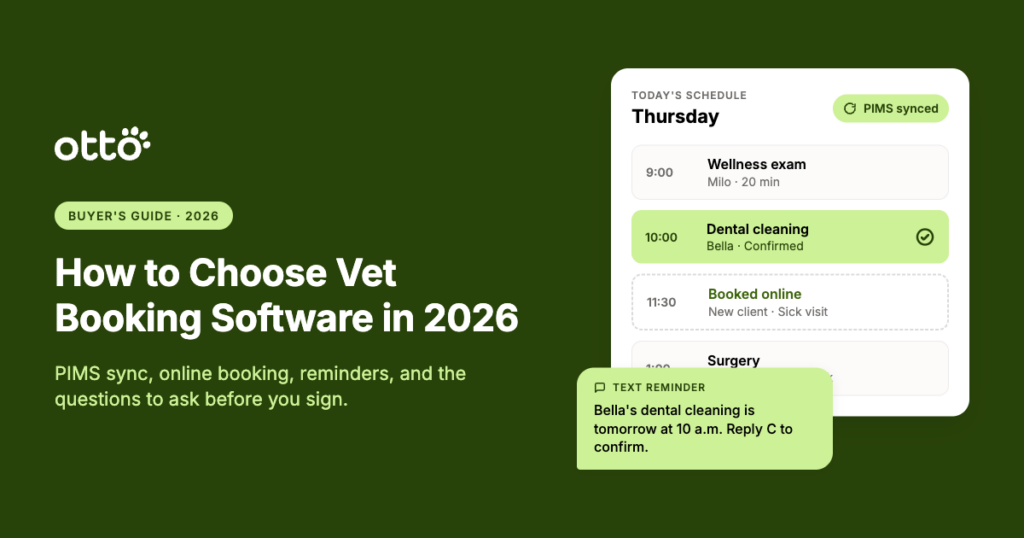
Effective reminder systems should be multi-channel (text + email), timed strategically (48 hours and again at 24 hours), and personalized to the patient. A message that says “Bella’s dental cleaning is tomorrow at 10 a.m.” gets better follow-through than a generic “You have an appointment tomorrow.”
Otto’s smart reminders are triggered automatically based on appointment type and can include pre-visit forms, parking instructions, or prep notes. Clinics using structured reminder workflows have seen up to a 50% reduction in no-shows. That’s a measurable difference in revenue and schedule predictability.
What Separates Good Reminders from Great Ones
- Triggered automatically, not manually queued
- Multi-touch (at least 2 messages before the appointment)
- Personalized with pet name, visit type, and specific instructions
- Two-way confirmation so clients can reply to confirm or reschedule
- Connected to your PIMS so reminder timing reflects actual schedule data
How to Evaluate Communication Features Beyond Reminders
Booking software is only part of the picture. The communication layer around it determines whether clients follow through on care recommendations, show up for follow-ups, and stay connected between visits.
Look for platforms that include two-way texting, post-visit follow-up workflows, prescription refill requests, and lapsed client outreach. These features keep your clinic top of mind and reduce the volume of inbound calls your team handles daily.
Otto includes unlimited texting at no extra cost, along with lapsed client campaigns that automatically re-engage pet owners who haven’t visited in a set period. One metric from Otto clinics: automated lapsed client outreach generates over 1,500 appointments per month across the platform. That’s revenue your clinic would otherwise lose to time and forgetfulness.
Service Reminders vs. Appointment Reminders
These two reminder types serve different purposes. Appointment reminders confirm upcoming visits. Service reminders notify clients when their pet is due for a vaccination, dental check, or wellness exam, even when no appointment is scheduled.
Both are important. Appointment reminders reduce same-day no-shows. Service reminders drive new bookings by prompting clients to schedule visits they might otherwise forget. The combination keeps your schedule full and your patients on track for preventive care.
What Role Does AI Play in Veterinary Booking Software?
AI in veterinary software is most valuable when it reduces repetitive work, not when it replaces clinical judgment. In the context of booking and communication, that means AI should handle things like drafting client responses, summarizing call content, and generating post-visit notes.
Otto’s AI Suite includes tools for appointment note generation (AI Scribe), call transcription, and suggested client messages. These features free up your team’s time so they can focus on care delivery rather than documentation. AI tools in Otto are included with the platform at no additional charge.
Where AI Adds Real Value in Booking Workflows
- Auto-generating post-appointment summaries for clients
- Transcribing phone calls so nothing falls through the cracks
- Suggesting follow-up messages based on visit type
- Identifying scheduling patterns and gaps through business intelligence
How Digital Forms Speed Up Check-In and Reduce Front Desk Load
Paper intake forms create bottlenecks. Clients arrive, spend 10 minutes filling out paperwork, and your team has to manually enter that information into the PIMS. Digital forms sent before the appointment eliminate most of that delay.
Look for booking software that sends customizable digital forms automatically after an appointment is booked. The best systems write form responses directly back to the patient record, so your front desk doesn’t have to touch the data at all.
Otto’s digital forms connect to your PIMS with automatic writebacks. Your team can create custom form templates for different visit types, collect consent signatures, and gather patient history before the client walks through the door. That means less time at check-in and more complete records from the start.
How to Compare Booking Software Vendors
Feature comparison charts can be misleading. A vendor might list “reminders” as a feature, but that could mean a single automated text with no customization. Another might list “PIMS integration” when the sync happens once a day.
Instead of comparing checkboxes, compare workflows. Ask each vendor to walk you through a typical day at your clinic: a new client books online, receives a reminder, fills out intake forms, checks in, gets treated, and pays. How many steps require manual intervention? How many handoffs between systems?
The fewer manual steps and system switches, the better the software fits veterinary operations.
A Practical Evaluation Framework
- Map your top 5 daily workflows (booking, reminders, intake, checkout, follow-up)
- Ask each vendor to demo those exact workflows, not a generic product tour
- Test the PIMS integration during the trial period with real appointment data
- Evaluate training time: if your team can’t learn the system in a few days, adoption will stall
- Check support responsiveness before you sign, not after
Why Workflow Integration Matters More Than Feature Count
A platform that handles booking, reminders, forms, payments, messaging, and follow-ups in one place creates fewer gaps than stitching together five separate tools. Every time your team switches between systems, there’s a risk of missed data, duplicate entries, or dropped tasks.
This is where the “all-in-one” distinction becomes operational, not just marketing. Otto connects booking, confirmations, digital forms, payments, task management, and AI scribing in a single platform that syncs with your PIMS. That means fewer logins, fewer places for data to get lost, and fewer “did anyone follow up on this?” moments.
Edinburg Animal Hospital reported reducing monthly expenses by more than 30% after consolidating multiple tools into Otto’s single platform. That difference matters when you’re evaluating total cost of ownership, not just subscription price.
How to Assess Onboarding and Long-Term Support
Software is only as good as its implementation. A platform with strong features but poor onboarding will frustrate your team and slow adoption.
Look for vendors whose implementation team has direct veterinary experience. Ask about the onboarding timeline, training format (live vs. recorded), and ongoing support structure. The transition period is where most clinics decide whether they love or resent their new software.
Otto’s implementation specialists have all worked in veterinary clinics. Each clinic also gets a dedicated customer success manager who stays engaged well beyond launch, helping your team set goals and adjust workflows as your clinic grows.
Onboarding Red Flags to Watch For
- No live training option (only recorded videos)
- Implementation team has no veterinary background
- Support is ticket-based with no live chat or phone option
- No dedicated point of contact after launch
What Payment Integration Should Include
Booking and payment are more connected than they might seem. A client who books an appointment online should be able to pay a deposit at the time of booking, receive a balance due notification after the visit, and settle their bill via text-to-pay, all without calling your front desk.
Otto Pay integrates directly with the rest of the Otto platform and writes payment data back to your PIMS. Your team can collect deposits, send payment links through text, and process contactless payments. This keeps the revenue cycle tight and reduces the back-and-forth that slows down checkout.
How to Handle Scheduling for Multiple Appointment Types
Not every visit is a 20-minute wellness exam. Surgeries need prep time. Dental cleanings need specific equipment. Urgent care visits need flexible slot allocation. Your booking software should reflect these differences in its scheduling rules.
Look for platforms that let you configure appointment duration, buffer time between visits, and provider-specific availability. If a system treats every appointment identically, your staff will spend their day manually adjusting the calendar.
Otto’s conditional logic lets you set different rules for each appointment type. A dental cleaning can have a longer block than a vaccine visit. An urgent care slot can be reserved for same-day requests. These rules run automatically, so your team doesn’t have to manage exceptions by hand.
How to Decide If You Need an All-in-One Platform or Standalone Booking
If your clinic only needs appointment scheduling and already has reminders, forms, payments, and communication covered by other tools that work well together, a standalone booking tool might be enough.
But if your team is logging into multiple systems, copy-pasting client data between platforms, and spending time reconciling information that should be in one place, an integrated platform will save more time and reduce more errors than a single-purpose tool.
Ask: How many different tools does your team use during a single client appointment cycle? If the answer is more than two, consolidation is worth evaluating.
Choosing Vet Booking Software That Fits Your Clinic
The clinics with the most predictable schedules and the fewest no-shows aren’t necessarily the ones with the fanciest software. They’re the ones where booking, reminders, communication, and follow-up all live in the same connected system, and where the team uses it every day.
If your current scheduling setup involves multiple disconnected tools, manual follow-ups, and frequent “did they confirm?” check-ins, that’s a system gap, not a team gap. Otto brings your booking, reminders, forms, payments, and AI tools into one place built specifically for veterinary teams. Book a demo to see how it fits your clinic.